
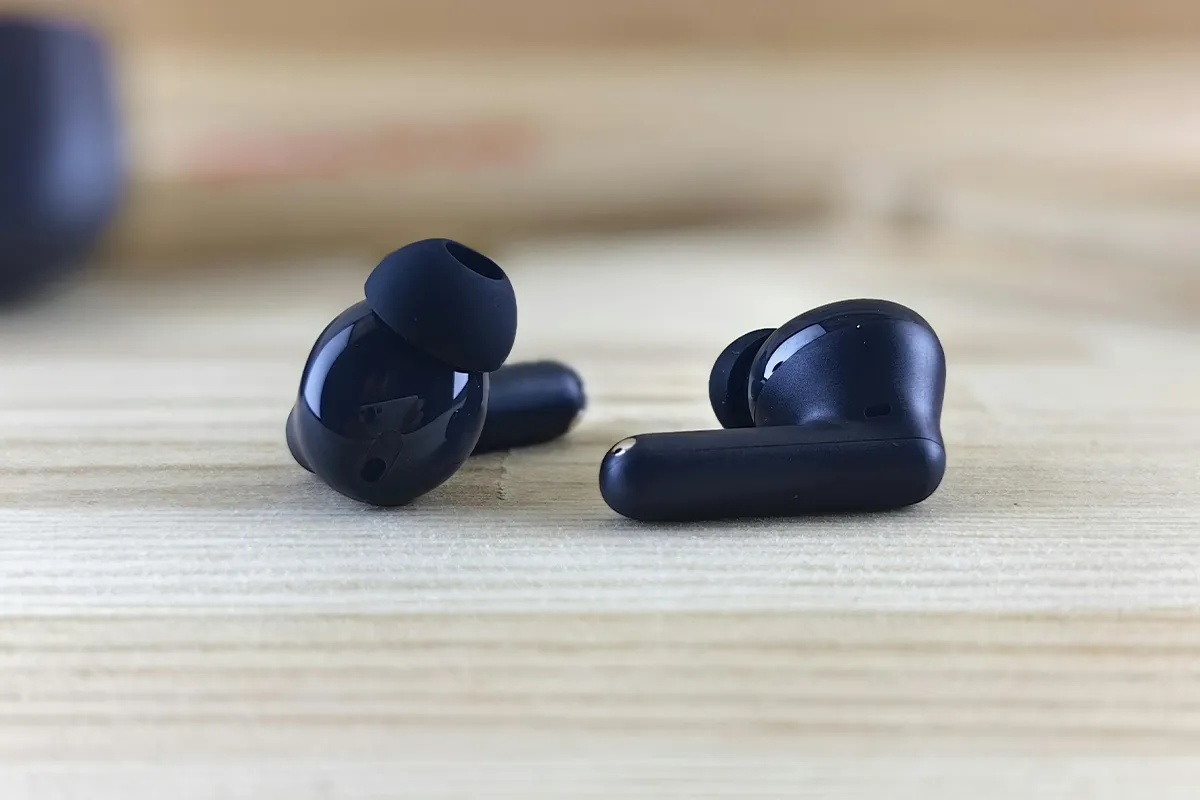
Are you looking for the best AI interpreter earbuds? Your search ends here. In this Timekettle W4 Pro AI interpreter earbuds review, you will learn if this pair is worth buying. If you are a person who travels frequently and across multiple countries, you must try the Timekettle W4 Pro. These earbuds are time-tested, and they also work even offline for 13 languages.
With the minor time delay of 0.2 seconds, it ensures real-time translation. The support of 40+ languages with 90+ accents, these AI translation earbuds are one of the best available in the market. The open-ear design ensures that they are comfortable even when worn for a long time. When it comes to the sound quality, the three dedicated microphones make sure that one-to-one conversation, listening and play, as well as media translation, are smooth and clear.
What Is the Timekettle W4 Pro?
The W4 Pro is a pair of earbuds. But these are not normal earbuds for music. Translation is what they are made for. Bluetooth connects the device to your phone. An app called the Timekettle app runs on your phone, and that app does the translation work. Forty languages and 93 accents are supported. Timekettle first showed this product at IFA 2024 in Berlin. At that time, it was the world’s first open-fit translator earbuds with audio and video translation. One very important thing to know is this. Alone, the earbuds cannot work. Always, they need your phone and the Timekettle app to function.
Design and Comfort
The W4 Pro sits on the outside of your ear. Inside the ear canal is not where it goes. Open-ear is what this design is called. Each earbud weighs only 16 grams, about the same as a few coins. Because they are so light, wearing them for many hours does not cause any pain or discomfort. Sharing them is also clean and safe. When you give one earbud to another person, it does not touch the inside of their ear.
Different is the story with the charging case. At 187 grams in total, it is much heavier than a normal earbud case. Putting it in your pocket during a trip means you will notice how big and heavy it is. Traveling light becomes harder in this case.
The 3 Translation Modes: What They Mean for You
Three translation modes come with the W4 Pro. Each one works in a different situation. Knowing what each mode does will help you decide if this device is right for you.
- One-on-One Mode: Both people each wear one earbud, speak in their own language, and hear the translation in real time. This works well for face-to-face conversations at a market stall, a hotel, or a meeting with an international client.
- Listen and Play Mode: Your phone captures what others say, and the earbuds deliver the translation directly to you. This is ideal for foreign-language meetings or guided tours. Recording the session and generating an AI summary afterward is also possible.
- Media Translation Mode: Phone calls, video calls, and online content are translated in real time with this mode. If a supplier calls in Mandarin or you want to follow a foreign-language video, this mode handles it. However, a monthly usage cap applies, which is covered in the next section.
How Well Does It Actually Translate?
Many reviews call it one of the best AI interpreter earbuds. But where it works well and where it does not is something they rarely explain. Here is a clear and honest answer.
In a quiet room or a calm place, the real-time AI translation accuracy is good. Tests show it gets the translation right about 85 to 90 percent of the time. Languages like Spanish, French, and Japanese work well. Short and simple sentences translate fast and correctly.
Noisy places are a bigger problem. Think about a busy airport or a loud street market. Background sound fills these places. Three microphones and noise cancellation translator earbuds technology help block that sound. But sometimes the microphones still miss words. When a word is missed, the translation comes out wrong or incomplete.
One specific problem stands out that almost no other review mentions. Sometimes you stop talking for a second. Maybe the next word is hard to remember. Finished is what the app assumes your sentence is. So it translates only the part you said. Continuing to speak after that pause means the app treats the rest as a brand new sentence. Instead of one correct translation, two broken pieces come out. For travelers and language learners who pause while thinking, this causes real confusion.
One last thing is important. Professional interpreting is not what the W4 Pro does. For a legal meeting, a doctor visit, or any situation where every word really matters, a real human interpreter is the only safe choice.
The Real Cost: What You Actually Pay
Many reviews do not explain the full cost. Some get it wrong. Here is a simple and clear breakdown of what you will actually pay.
- Device price: The W4 Pro costs $449 as a one-time purchase. Core translation features, including One-on-One and Listen and Play modes, are included with no monthly fee.
- Offline language packs: Two packs are free with included coupons. After that, each additional offline language pack for translator earbuds costs $10 per pair through Timekettle’s in-app currency system called 5Fish. If you need several languages offline, these costs add up.
- Media Translation cap: A 300-minute monthly limit applies to this mode. Most product pages do not say this clearly, and many reviews miss it. Face-to-face translation has no limit, but people who use Media Translation for work calls often hit this cap quickly.
- App download process: Neither the Apple App Store nor the Google Play Store has the Timekettle app. Downloading it requires scanning a QR code from Timekettle’s website. All translated conversations go through Timekettle’s servers. Privacy-conscious users should keep this in mind.
- Location permission: Every time you open the app again, it asks for your location permission. Many users find this annoying.
What the App Does Not Tell You
One more thing about the app is worth knowing. Most people find this out only after they buy the device. Inside the app is a language learning bot. Practicing a foreign language with it is possible; you talk, and it gives feedback on your mistakes. Useful is how this sounds. But a big problem exists. Only three languages are supported by the bot: English, Spanish, and Chinese. Forty languages are supported by the earbuds for translation. Yet the learning bot only covers three of them. Practicing Italian or Arabic through the app is simply not possible right now.
W4 Pro vs. W4: Should You Save $100?
Almost all reviews only talk about the W4 Pro. The regular W4 model is something they ignore completely. But for buyers who want to spend wisely, this matters a lot. The Timekettle W4 vs W4 Pro comparison comes down to one simple question. What kind of translation do you need?
- Timekettle W4 ($349): Uses a bone-voiceprint sensor that detects the physical vibrations of your voice, making it more accurate in very noisy environments. Lifetime free updates come with it, and no additional costs apply. However, only face-to-face translation is supported. It does not cover phone calls, video meetings, or media content.
- Timekettle W4 Pro ($449): Call translation, online meeting translation, and media translation are all added on top of everything the W4 offers, giving you the kind of flexibility people expect from 3-in-1 AI translation earbuds. The extra $100 makes sense if translation beyond face-to-face conversations is what you need.
- The simple rule: For in-person communication only, such as at markets, hotels, restaurants, or casual meetings, the W4 saves you $100 and handles noise better. Calls and media translation are only available with the W4 Pro.
W4 Pro vs. Google Translate: When Does the $449 Device Win?
Many buyers think about this question. But most reviews do not answer it. Here is a clear answer.
Google Translate is free. Already on your phone, it works for text, voice, and even photos of signs or menus. For occasional translation help, it is good enough.
So, when is the W4 Pro better? Think about a real conversation between two people. Both need to speak and listen at the same time. With Google Translate, one person speaks, then waits, then the other speaks, then waits again. Slow and unnatural is how this feels.
Hands-free bidirectional voice translation is what the W4 Pro gives you instead. Both people speak naturally, and both hear the translation in their ears at the same time. Also, foreign phone call translation for travelers is something Google Translate cannot handle on its own. Easily, the W4 Pro does this.
For people who only need translation sometimes, a free app is probably enough. Regular translation as part of daily travel or work is where the W4 Pro gives the most value.
Comparison Table
| Device | Price | Online Languages | Offline Support | Call Translation | Monthly Cap | Best For |
|---|---|---|---|---|---|---|
| Timekettle W4 Pro | $449 | 40 | 13 pairs (2 free) | Yes | 300 min (media) | Travelers, remote workers |
| Timekettle W4 | $349 | 43 | Yes (lifetime free) | No | None | Noisy environments, casual travel |
| Pocketalk S | ~$299 | 95 | Limited | No | None | Budget-conscious travelers |
| Waverly Ambassador | ~$179 | 20 | No | No | None | Students, casual users |
| Google Translate | Free | 100+ | Selected languages | No | None | Occasional use, text translation |
Who Should Buy It, and Who Should Not
Buy the Timekettle W4 Pro if you:
- Travel frequently to countries where you do not speak the language
- Take regular calls or video meetings with non-English speakers
- Want a hands-free translation experience without holding a phone
- Need to follow foreign-language meetings or media content in real time
Skip the Timekettle W4 Pro if you:
- Only travel occasionally and need basic translation for simple situations
- Are on a tight budget and can manage with a smartphone app
- Need interpreting for legal, medical, or high-stakes conversations
- Are you uncomfortable installing apps from outside official app stores
Conclusion
The Timekettle W4 Pro AI Interpreter Earbuds are a good tool for the right person. Fast and accurate is how the translation feels in calm environments. Light and comfortable are the earbuds themselves. Many real-life situations that other devices cannot handle are covered by the three modes. Real problems exist, too, though.
Pausing mid-sentence causes wrong translations, especially for non-native speakers. Noisy places reduce accuracy. Outside an official store is where the app lives. And the 300-minute monthly cap on Media Translation surprises many buyers. Real-time translation tools are improving, but language technology still works unevenly across many languages and situations. At $449, frequent travelers and remote workers who deal with language differences every day will get the most value from this device. For everyone else, a free translation app on your phone is probably all you need.