
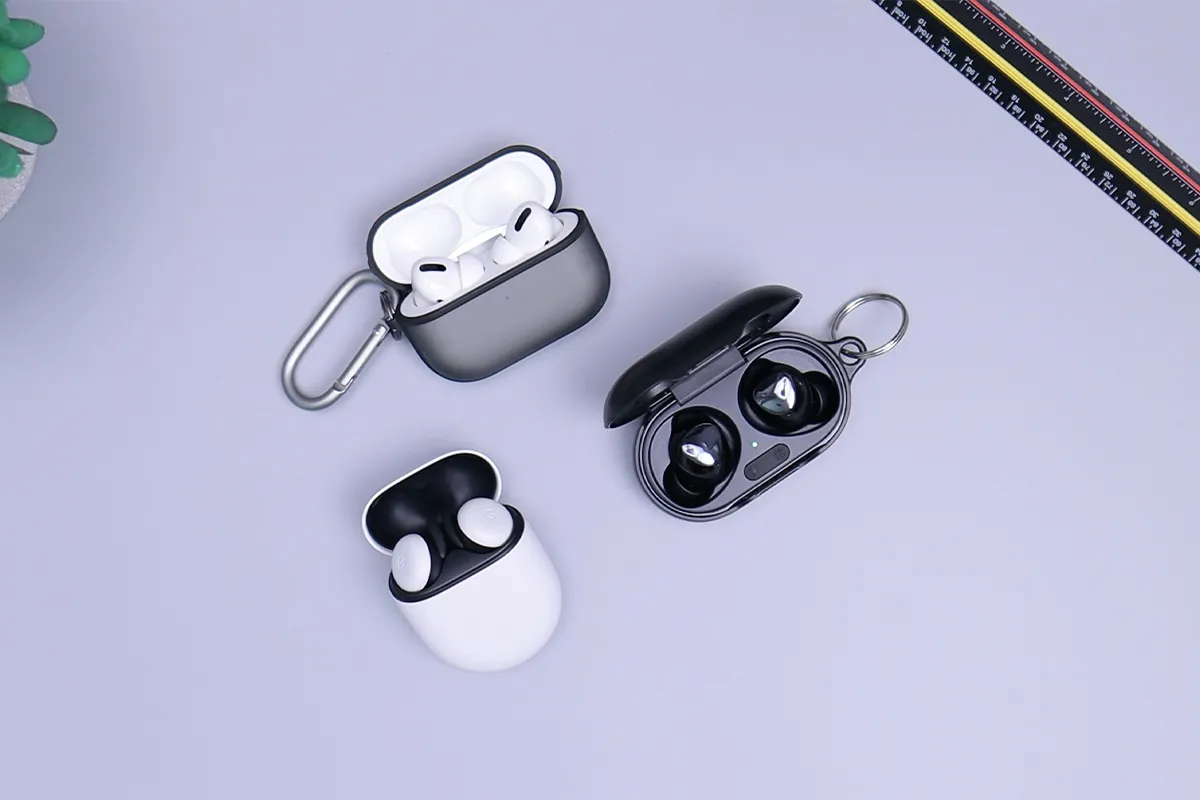
Are you looking for the best AI earbuds that you can use in every season and every place you go? If yes, then you have landed on the right page. There is no actual information available on the internet for the LX-80 AI translator earbuds review. The users and the buyers do not know how to use them properly, or whether they are actually worth buying. But don’t worry!
We have used and tested all the variants of LX-80 AI translator earbuds. It helped us to come up with honest reviews that our readers might be interested in learning about. It includes the best pricing, battery timings, availability, authenticity, limitations, and the setup guide. All this information is available on just one page for you to find out what works best for you!
What Are the LX-80 AI Translator Earbuds?
The LX-80 AI translator earbuds are small wireless earbuds. You put them in your ears. When someone speaks a foreign language near you, the earbuds listen. After listening, they translate the words into your language very quickly. The LX-80 AI translator earbuds are made by a dedicated electronics manufacturer that focuses entirely on translation technology. The product is available on Amazon and eBay under the LX-80 name. Searching for “LX-80 translator earbuds” will bring you directly to the right listing.
LX-80 Variants Explained: Which One Should You Buy?
Two versions of the LX-80 exist. Both look similar, but they are very different from each other. Buying the wrong one by mistake is very easy. Reading this section carefully before ordering will save you a lot of trouble.
The first version is the in-ear model. This one goes inside your ear canal just like regular earbuds. It can translate 80 languages. One full charge gives you around 6 hours of use. Costing less than the second version, this one works well for travelers who only need common languages like Spanish, French, Chinese, or Arabic.
The second version is the OWS open-ear model. This one does not go inside your ear at all. Instead, it sits gently on the outside of your ear like a small hook. Wearing it for many hours feels much more comfortable because of this. It can translate 144 languages. This version is the one most commonly listed under the LX-80 name on Amazon. Paying a little more for it is worth it for most buyers. When you look at any product listing, search for the words “OWS” or “open ear.” Seeing these words means you are looking at the 144-language version.
What Is Inside the Box?
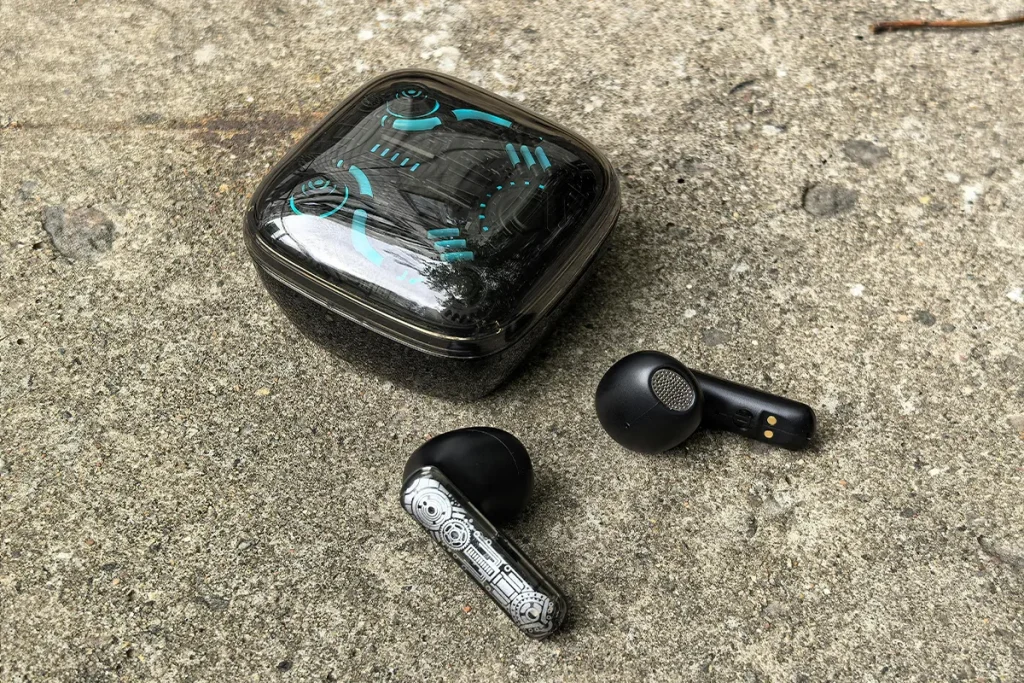
Opening the box, you will find the two earbuds sitting inside the charging case. A USB-C charging cable comes in the box, too. Along with these, you also get a small user manual and a pairing code card. One thing that surprises many buyers is the charging case. It has a small touch screen on the front. Most cheap earbuds do not have this at all. The box looks simple and clean. Everything sits neatly in its place, and nothing falls out when you open it.
Design and Build Quality
The LX-80 earbuds are made from light plastic. Holding them in your hand, they feel very light. Wearing them for a long time does not cause any discomfort because of this. The small touch screen on the charging case is one of the best things about this product. Using it, you can change the sound or check the battery level. Opening the phone app every time is not necessary for these simple tasks.
The in-ear version uses soft rubber tips. Pushing them gently into your ear gives you a snug and comfortable fit. The open-ear OWS version works differently. Instead of going into the ear, a soft hook wraps around the outside. People who get ear pain from regular earbuds after a while will love this design. For the price, the build quality is very good. It does not feel like an expensive product. At the same time, it does not feel like it will break after a few uses either.
How to Set Up the LX-80: Step-by-Step Guide
Reading the negative reviews on Amazon about the LX-80, you will notice something interesting. Most unhappy buyers had their problem during setup, not during actual use. The manual inside the box is short and not very clear. Following the correct steps from the beginning makes everything much easier and avoids unnecessary frustration.
- Charge fully first: Before doing anything else, put the earbuds inside the case and charge everything to full. Skipping this step is the most common reason why the earbuds fail to connect during the first setup.
- Download the correct app: Open the App Store or Google Play on your phone. Search for the AI Library or Wooask, depending on which LX-80 version you bought. Using the wrong app will stop the translation feature from working completely.
- Scan the QR code: Find the QR code on the page inside your manual. Scan it using your phone camera. Doing this connects your earbuds to the translation servers and gives you your first free credits.
- Complete Bluetooth pairing: With the app open on your phone, take the earbuds out of the case. Following the steps shown in the app will connect your earbuds to your phone. Android phones usually do this on the first try. iPhone users may need to try two or three times.
- Set your language pair: After the earbuds connect, open the settings inside the app. Choose your own language first. Then choose the language you want the earbuds to translate into. Without this step, the earbuds will not know what to translate.
Finishing these steps means the earbuds are ready to use. Before going on a real trip, spend a few minutes testing at home. Trying each mode in a quiet room at home helps you feel confident and ready before using them with real people.
The App: Features, Free Credits, and Hidden Costs
Using the LX-80 without the app is not possible. The app is what makes the translation work. Most sellers never explain how the app truly works. Because of this, many buyers get a surprise after their earbuds arrive. Knowing about the app before buying will protect you from unexpected costs and frustration.
- Free starter credits: Registering in the app for the first time gives you a small number of free credits. Using these credits, you can test the translation and have a few short conversations. Running out of them happens quickly if you use the earbuds every day.
- Credit consumption rate: Every minute you use the translation, the app takes some credits away. Faster modes use more credits. Slower modes use fewer credits. The speed depends on which translation mode you choose.
- Subscription or top-up required: After the free credits finish, the translation stops working. To use it again, you need to buy more credits or pay for a monthly plan. Almost no seller mentions this on their product listing.
- App version differences: Wooask and AI Library are slightly different apps with slightly different costs. Going to the app store and reading the latest user reviews before buying gives you a clear picture of what people are paying right now.
- How to verify before buying: Search the app name on the App Store or Google Play before spending money on the earbuds. Looking at the in-app purchases section will show you exactly what the costs are.
Not telling buyers about this credit system is a real problem with how this product is sold. Knowing about it in advance, however, lets you plan properly. Getting good value from the LX-80 is still very possible as long as you go in with your eyes open.
Translation Modes Explained
Four translation modes come with the LX-80. Each mode is made for a different situation. Mute Mode is the first one. Only you can hear the translation with this mode. Nobody around you hears anything. Quiet places like museums or libraries are perfect for this mode. Speaker Mode is the second one. The translation plays out loud from your phone or case. Both you and the other person hear it at the same time. Asking for quick directions or ordering food works well with this mode. Earbud Mode is the third one. Both of your earbuds play the translation at the same time for a private listening experience. Dual Ear Mode is the fourth and most natural mode for real conversations. You wear one earbud, and the other person wears the second one. Each person hears the translation of what the other person says directly in their ear.

Translation Performance
How well the earbuds translate is the most important question in this whole review. Sellers say the LX-80 has 97% accuracy and translates in just 0.5 seconds. These numbers look very impressive. Real life, however, tells a slightly different story. Several important things affect how well the earbuds actually work. Knowing these things helps you get the best results and avoid disappointment.
- Strong language pairs: Spanish, French, Chinese, and Arabic all work very well with English. These are the most common languages in the world. Because of this, the translation system has learned them better than any others. Fast and accurate translations are very common with these language combinations.
- Noisy environment weakness: Standing in a busy street, a crowded market, or a loud restaurant makes the microphone pick up too much background noise. When this happens, the translation becomes less accurate. Moving to a quieter spot and speaking slowly and clearly will give much better results.
- Regional accent limitations: The same language can sound very different in different places. Mexican Spanish sounds different from Spanish in Spain. Standard accents translate well. Very strong local accents sometimes confuse the earbuds and cause small errors.
- Internet dependency: Without a good and fast internet connection, the translation slows down a lot. Sometimes words disappear completely. Traveling to places with weak mobile data will make the earbuds much less useful.
- Less common language pairs: Languages from smaller or less common regions do not always translate as accurately. These languages have less training data behind them. Using the earbuds for help in these languages is still useful, but relying on them fully is not a good idea.
Knowing all of this, the LX-80 still does a very good job for ordinary travel situations. Eating at a local restaurant, riding a taxi, shopping in a market, or checking into a hotel all go smoothly with these earbuds, which is exactly the kind of everyday use that AI earbuds translators for travel are designed to handle well. Understanding where they work best makes them a genuinely useful travel tool.
Sound Quality for Music and Calls
Beyond translation, the LX-80 also works as regular wireless earbuds. Listening to music, podcasts, or audiobooks through them sounds clean and pleasant. Bass is a little light, but this is normal for earbuds at this price. Making phone calls with them is easy, and the voice quality is clear in quiet places. Noisy surroundings affect call quality the same way they affect translation. Adjusting the sound to your personal preference is possible using the touch screen on the charging case. Most budget earbuds at this price do not offer this kind of control at all.
Battery Life
Six hours of use come from one full charge. The charging case adds extra power on top of that. Together, they give around 120 hours of standby time in total. For most travelers who use translation occasionally throughout the day, six hours is more than enough. Checking how much battery is left is easy because the case screen shows it clearly. Running out of battery at a bad moment while traveling is something nobody wants. Heavy users who translate constantly all day may need one quick recharge during the day. Light and occasional users will never need to worry about the battery at all.
iPhone vs Android Compatibility
Some iPhone users have had problems connecting to the LX-80. Sellers never say anything about this. Most buyers only discover it after the earbuds arrive at their door. Reading this section before buying could save you from a very frustrating experience.
- iPhone 13 and newer models: Several buyers with these iPhone models say the earbuds did not connect on the first try. In some cases, the phone connected, but the app did not see the earbuds at all. Without this connection, translation is completely impossible.
- Android reliability: Android phones work well with the LX-80 in most cases. Switching between modes and tracking credits also runs more smoothly on Android than on iPhone.
- Possible fix for iPhone users: Placing the earbuds back into the case and closing the lid helps reset the connection. Waiting ten seconds and then opening the lid again before trying to pair often fixes the problem. Making sure the app has Bluetooth and microphone permission in your iPhone settings is also very important.
- iOS version sensitivity: Apple updates iPhone software regularly. Some of these updates accidentally break the connection between iPhones and budget earbuds. Searching online to see if other people with your exact iPhone model and software version have used the LX-80 successfully is a very smart step before buying.
- When to avoid the LX-80 as an iPhone user: Fixing small technical problems is not something everyone enjoys doing. If you use an iPhone and prefer products that work perfectly straight out of the box, the LX-80 is a riskier choice for you than it is for Android users.
Many iPhone buyers have used the LX-80 without any problems at all. However, the risk is real enough to talk about clearly. Android users can feel confident buying this product. iPhone users need to do a little extra research before ordering.
Who Should Buy the LX-80?
Casual travelers who want a cheap and simple translation tool for everyday trips are a perfect fit for the LX-80. People learning a new language who want to practice talking with native speakers will also find it very helpful, though anyone wanting a wider comparison should first look at AI earbuds that translate languages across different price points and feature sets. Occasionally, dealing with customers who speak a different language is another situation where these earbuds work well. Giving them as an affordable and practical gift to a friend who loves to travel is also a great idea.
Professional situations where very accurate translation is critical are not a good match for the LX-80. Visiting remote areas with slow or no internet will also make the experience very poor. iPhone users who dislike fixing technical problems should think carefully before buying. Anyone who needs offline translation as their main feature should look for a different product.
LX-80 AI Translator Earbuds: All Versions at a Glance
| Feature | LX-80 In-Ear | LX-80 OWS Open-Ear |
|---|---|---|
| Ear Style | In-ear (inside ear canal) | Open-ear hook (outside ear) |
| Languages | 80 languages | 144 languages |
| Translation Accuracy | 97% | 97% |
| Translation Speed | 0.5 seconds | 0.5 seconds |
| Translation Modes | 4 modes | 4 modes |
| Case Battery | 600mAh | 600mAh |
| Active Use Time | 6 hours | 6 hours |
| Standby Time | 120 hours | 120 hours |
| Companion App | AI Library | Wooask / AI Library |
| Touch Screen Case | Yes | Yes |
| Offline Translation | Very limited | Very limited |
| Internet Required | Yes | Yes |
| Comfort for Long Wear | Average | Very comfortable |
| Best For | Budget travelers – basic languages | Most buyers – wider language coverage |
| Price Range | Lower | Slightly higher |
LX-80 vs Timekettle W4 Pro: Quick Comparison
The Timekettle W4 Pro costs much more than the LX-80. Comparing them, the W4 Pro translates more accurately. Working without the internet is also much better on the W4 Pro. Handling noisy environments is easier for it too. Coming from a well-known brand, the W4 Pro also offers real customer support when something goes wrong. Using the LX-80 for casual and occasional travel makes good sense because of its low price. Needing translation every day or for important work meetings makes the W4 Pro the smarter investment. If accurate and reliable translation truly matters to you and spending more is possible, choosing the W4 Pro is the right decision.
Pros and Cons
Pros
- Very affordable price
- The LED touch screen on the charging case is a great bonus at this price
- Four translation modes for different situations
- The open-ear OWS design is comfortable for long use
- Supports 144 languages on the OWS version
- Works for music and calls as well as translation
Cons
- The hidden app credit system is not mentioned by sellers
- Needs a strong internet connection to work properly
- Does not work well in noisy places
- iPhone pairing problems on newer models
- No real brand support or customer service
- Very limited offline translation
- Limited brand presence compared to premium translator earbud brands
Conclusion
For the price, the LX-80 AI translator earbuds are a surprisingly good product. The touch screen case, four translation modes, and support for many languages make it a practical tool for budget travelers. Research confirms that AI speech translation accuracy keeps improving through advances in neural networks, and everyday travel situations like eating out, shopping, or asking for directions show exactly where those improvements matter most. Every day travel situations like eating out, shopping, or asking for directions all go well with these earbuds.
Three important things must be known before buying, though. First, the app has a credit system that sellers hide from buyers. Second, iPhone users sometimes face connection problems. Third, weak internet makes the earbuds much less useful. These are real issues and not small ones.
Android users who travel to popular destinations, have access to good mobile data, and are working with a tight budget will find the LX-80 AI translator earbuds to be a very smart purchase. Checking the app costs first, keeping expectations realistic, and knowing the limits of the product will make the experience a genuinely positive one.

Haroon writes about contact management and keeping your Outlook data clean. He covers how to find and remove duplicate contacts, calendars, and tasks the easy way.